

Strainer Revit Family
In modern industrial engineering, the transition from conceptual design to physical installation relies heavily on Building Information Modeling (Bies). For piping designers and mechanical engineers, the integration of a precise strainer revit family into a project’s digital twin is not merely a matter of visual representation. It is a critical step in ensuring spatial coordination, hydraulic accuracy, and long-term maintainability of filtration systems.
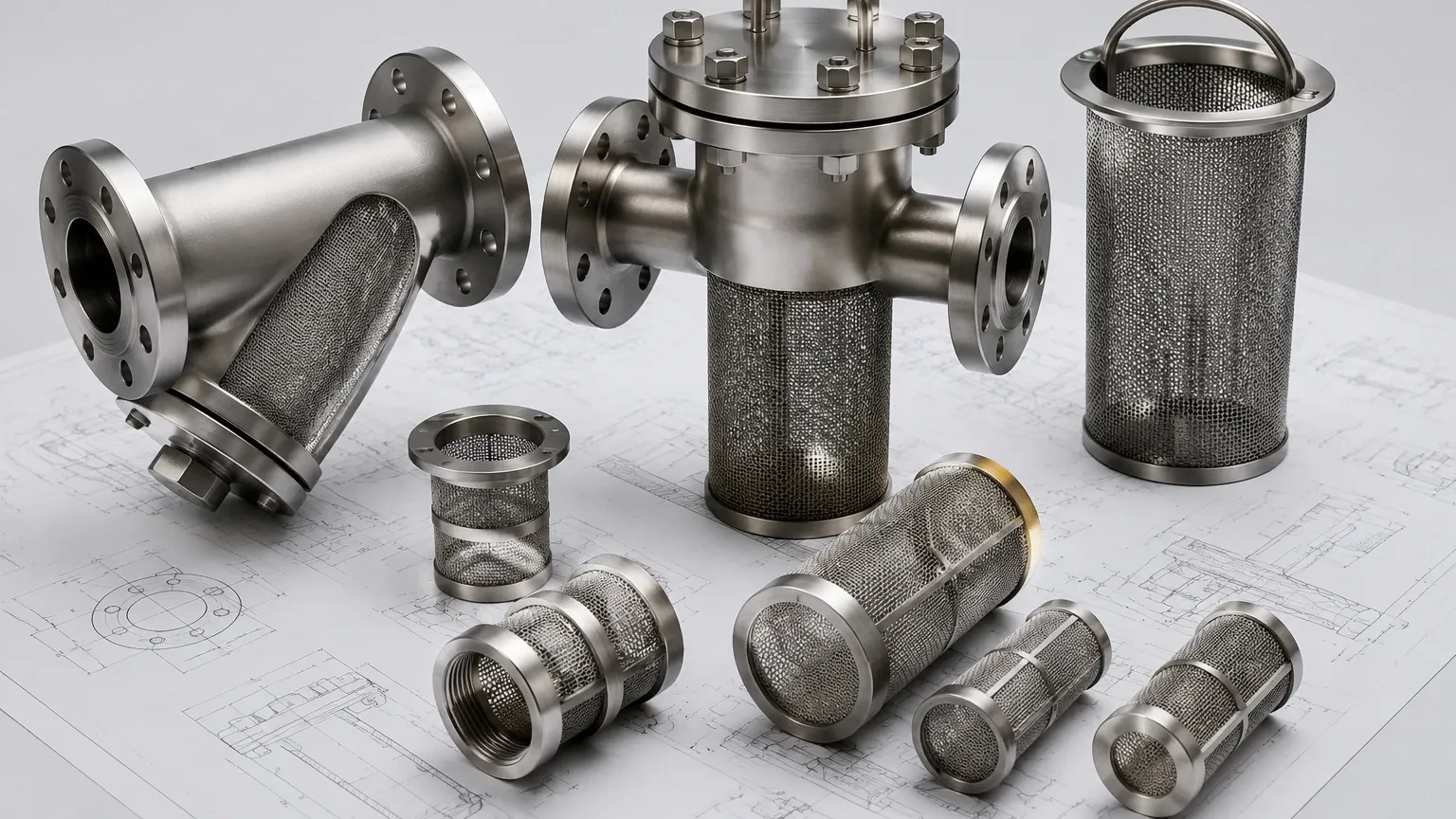
Industrial strainers, particularly those used in chemical processing, pharmaceutical manufacturing, and high-pressure hydraulic systems, must be specified with rigorous attention to detail. When these components are modeled within Revit, they carry parametric data that informs the entire lifecycle of the facility. From calculating pressure drops to ensuring there is sufficient clearance for basket removal, the quality of the BIM component directly impacts the reliability of the installed Strainers & Baskets.
The Role of BIM in Industrial Filtration Systems
Building Information Modeling has revolutionized how industrial plants are designed. By using a dedicated Revit family for filtration components, engineers can move beyond 2D schematics into a 3D environment where every pipe, valve, and strainer is accounted for in real-world dimensions.
A strainer Revit family (typically an .rfa file) acts as a digital surrogate for the physical hardware. For a manufacturer like Kaifil, providing or utilizing accurate digital models ensures that the custom stainless steel filters produced in the factory align perfectly with the piping headers on-site. This precision reduces the risk of costly field modifications and ensures that the filtration performance meets the engineering specifications defined during the design phase.
In B2B procurement, the availability of technical data within these models allows purchasing teams to verify material compatibility, connection types, and flow rates before a single purchase order is issued. This transparency is vital in sectors like food and beverage or water treatment, where strict adherence to standards is non-negotiable.
Technical Parameters within a Strainer Revit Family
An effective Revit family for industrial strainers must be more than a static 3D block. It must be parametric, meaning its dimensions and properties change based on input values. When evaluating or creating a strainer revit family, engineers focus on several key technical parameters:
1. Connection Types and Standards
Industrial piping systems utilize various connection methods depending on pressure and fluid type. The Revit model must accurately reflect:
* Flanged Connections: Including ANSI/ASME B16.5 ratings (e.g., Class 150, 300, or 600) or DIN standards.
* Threaded Connections: NPT or BSPT specifications for smaller-scale systems.
* Socket Weld or Butt Weld: Common in high-pressure hydraulic or chemical applications where leak prevention is paramount.
2. Face-to-Face Dimensions
The distance between the inlet and outlet ports (face-to-face) is a critical dimension. If the digital model deviates even slightly from the physical Kaifil strainer, the entire piping run may be misaligned. Accurate Revit families ensure that the take-out dimensions are locked to the specific manufacturer’s catalog data.
3. Mesh and Perforation Specifications
While the internal mesh may not always be rendered in high detail to save on computational resources, the data regarding the filtration grade (e.g., 20 mesh, 100 mesh, or specific micron ratings) should be embedded in the family’s metadata. This allows for automated scheduling and verification against the process requirements.
Engineering Considerations: Flow Performance and Pressure Drop
One of the primary reasons engineers utilize a detailed strainer revit family is to conduct hydraulic analysis. Every strainer introduces a degree of resistance into the system, known as pressure drop (ΔP).
In Revit, the family can be programmed with flow coefficients (Cv or Kv values). When the model is connected to a logical piping system within the software, Revit can calculate the total pressure loss across the circuit. This is essential for sizing pumps and ensuring that the system operates within its designed efficiency range.
For custom stainless steel filtration solutions, such as those provided by Kaifil, the pressure drop is influenced by the open area ratio of the basket or screen. A well-constructed Revit family allows the engineer to toggle between different basket configurations—such as a perforated plate versus a fine wire mesh—to see how the change affects the overall system performance. This level of simulation prevents the selection of undersized strainers that could lead to cavitation or system failure.
Spatial Coordination and Maintenance Clearance
A common oversight in plant design is the failure to account for the "service zone." Industrial strainers are not set-and-forget components; they require regular cleaning and inspection.
When placing a strainer revit family in a model, the engineer must account for the following:
* Basket Removal Clearance: For basket strainers, there must be enough vertical or horizontal space to pull the internal element out of the housing. A high-quality Revit family will include a "clearance box" or a nested component that visualizes this space, preventing other pipes or structural steel from being placed in the way.
* Drain and Vent Access: Many industrial strainers feature drain plugs or vent valves. The model should accurately represent these ports to ensure they are accessible to operators and can be piped to a safe discharge location if necessary.
* Weight and Support: Large-diameter stainless steel strainers can be heavy, especially when full of liquid. The Revit family should include weight data (both dry and operating weight) so that structural engineers can design appropriate pipe supports and hangers.
Material Selection and Chemical Compatibility
In the B2B industrial sector, the material of construction is as important as the mechanical design. Kaifil specializes in stainless steel filtration, typically utilizing Grade 304 or Grade 316L.
The Revit family should clearly identify the material of the body, cover, and internal screen. This is particularly important in chemical processing or pharmaceutical applications where fluid compatibility is a safety concern. By embedding material data into the BIM model, the system can automatically generate a Bill of Materials (BOM) that specifies the exact alloy required, ensuring that the procurement team orders the correct version of the Strainers & Baskets needed for the environment.
Furthermore, the model should account for gasket materials (e.g., EPDM, PTFE, or Viton). While these are small components, their representation in the digital twin ensures that the entire assembly is compatible with the process media and temperature ranges.
Customization and OEM Solutions in BIM
Standard off-the-shelf Revit families often fall short when a project requires specialized filtration. Kaifil’s strength lies in its ability to provide custom-engineered solutions. When a standard strainer revit family does not meet the project’s needs—perhaps due to a unique footprint, an unusual filtration accuracy requirement, or a specific housing geometry—OEM collaboration becomes necessary.
In these instances, the manufacturer can provide custom CAD or Revit files that reflect the bespoke design. This ensures that the custom component fits perfectly into the larger assembly. Engineers should look for manufacturers who understand the importance of digital integration and can provide the necessary technical support to bridge the gap between a custom engineering drawing and a functional BIM element.
Risk Mitigation: Common Errors in Strainer Modeling
Using an inaccurate or generic Revit family can introduce several risks to an industrial project:
1. Clash Detection Failures: If the Revit family is too simplified, it may miss protrusions like bolt lugs or handle assemblies, leading to clashes with nearby equipment that are only discovered during physical installation.
2. Incorrect Flow Direction: Many strainers are uni-directional. A poorly designed Revit family might not clearly indicate the flow arrow, leading to the component being modeled (and subsequently installed) backward.
3. Inaccurate LOD (Level of Development): Using a model with too much detail (LOD 500) for a preliminary design can slow down software performance, while using too little detail (LOD 200) for construction documentation can lead to installation errors. Engineers must select a strainer revit family that provides the appropriate level of information for the current project phase.
Procurement Checklist for Engineers and Purchasing Teams
Before moving from the digital model to the procurement of physical strainers, technical teams should confirm the following details based on their Revit data:
* Confirm Connection Standards: Does the model’s flange rating match the project’s piping specification?
* Verify Filtration Grade: Is the mesh or perforation size specified in the model appropriate for the debris expected in the process fluid?
* Check Maintenance Access: Has the basket removal clearance been verified against the latest structural and HVAC models?
* Material Validation: Does the specified stainless steel grade (304/316) align with the chemical compatibility requirements of the fluid?
* Pressure and Temperature Limits: Do the operating conditions in the Revit system exceed the maximum ratings of the physical strainer?
By treating the strainer revit family as a data-rich engineering tool rather than a simple 3D icon, B2B professionals can ensure that their filtration systems are efficient, compliant, and easy to maintain. Whether you are designing a complex chemical refinery or a precision pharmaceutical line, the accuracy of your digital components is the foundation of a successful physical installation. For those seeking high-performance hardware to match their digital designs, exploring professional Strainers & Baskets is the final step in bringing a robust industrial system to life.
