


Perforated Metal Revit Family
In the landscape of modern industrial engineering and architectural design, Building Information Modeling (BIB) has become the standard for ensuring precision, reducing waste, and streamlining the procurement process. For engineers and procurement specialists sourcing high-performance filtration and structural components, the use of a perforated metal revit family is more than a 3D modeling convenience; it is a critical tool for technical validation.
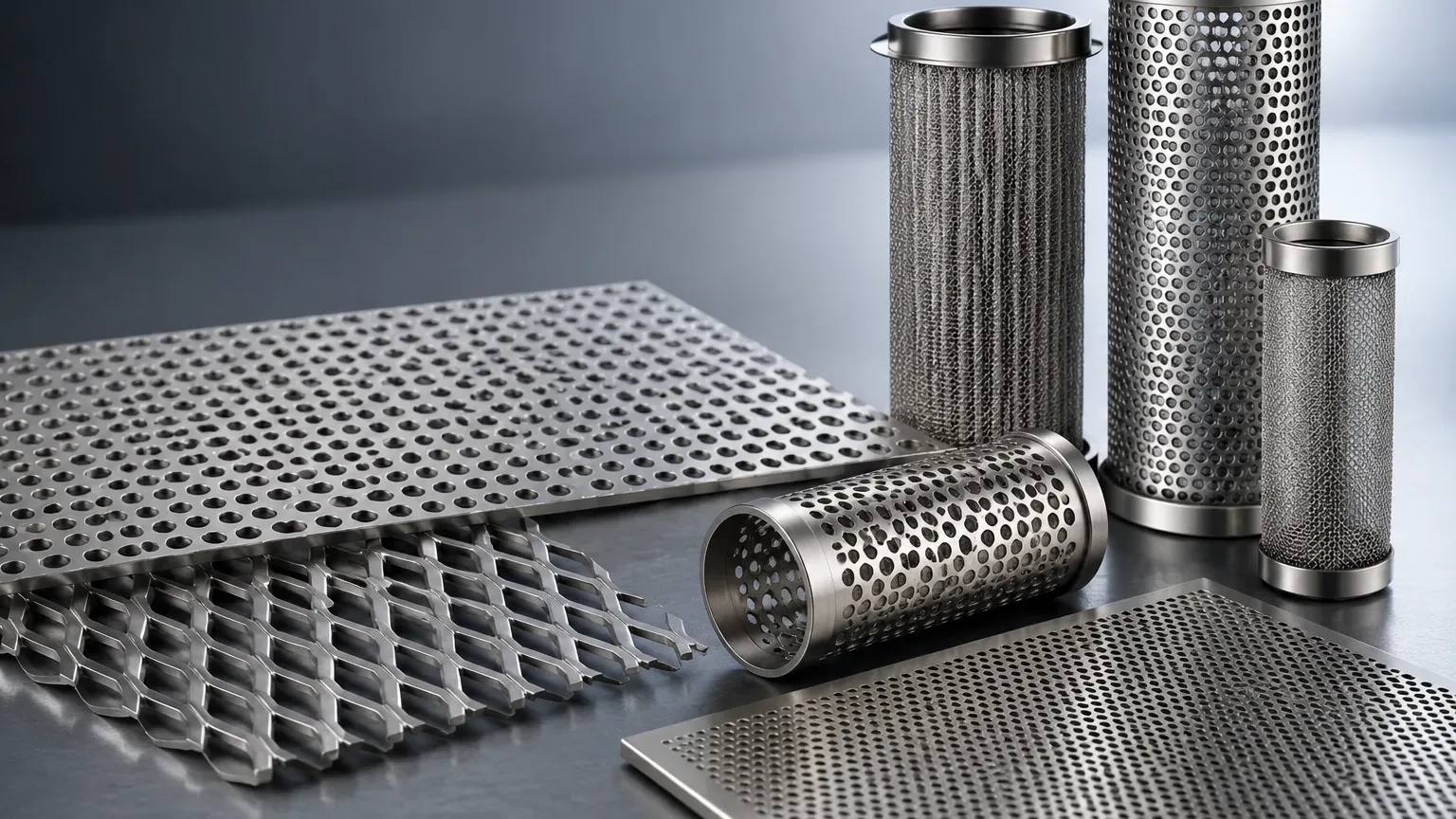
Integrating accurate digital representations of Perforated & Expanded Metal into a project allows for the simulation of airflow, light filtration, and structural integrity before a single sheet of stainless steel is punched. As a manufacturer specializing in custom stainless steel filtration solutions, Kaifil understands that the transition from a digital model to a physical industrial component requires a deep understanding of material properties, fabrication limits, and performance expectations.
The Role of Perforated Metal Revit Families in Industrial Design
A Revit family serves as a "digital twin" of a physical component. In the context of industrial filtration and screening, a perforated metal revit family contains the geometric and parametric data necessary to represent perforated sheets within a larger assembly, such as a filtration vessel, a machine guard, or an architectural facade.
For B2B applications, these families are not merely visual. They carry metadata—material grade (such as 304 or 316 stainless steel), gauge thickness, hole patterns, and percentage of open area. When an engineer selects a specific perforated pattern in Revit, the software can calculate the weight of the material and, in some cases, assist in calculating the pressure drop across a filter element. This data-driven approach ensures that the specified Perforated & Expanded Metal meets the rigorous demands of chemical processing, food and beverage production, or pharmaceutical manufacturing.
Key Engineering Parameters for Perforated Metal BIM Objects
When developing or selecting a perforated metal revit family, several technical parameters must be accurately defined to ensure the digital model reflects the physical reality of the product. These parameters directly influence the performance of the filtration system.
1. Hole Pattern and Geometry
The geometry of the perforation is the most fundamental parameter. Common patterns include round holes, square holes, and slotted holes. In a Revit environment, the family should allow for the selection of straight or staggered centers. Staggered patterns (usually at 60 degrees) are the most common in industrial filtration because they provide the highest open area and structural uniformity.
2. Open Area Calculations
The percentage of open area is the ratio of the area of the holes to the total area of the sheet. This is a vital metric for engineers calculating flow rates and filtration efficiency. A robust Revit family will automatically update this percentage as the hole diameter or pitch is adjusted. For example, a 2mm hole on a 3.5mm staggered pitch yields approximately a 30% open area, which is a standard specification for many liquid filtration applications.
3. Material Thickness and Gauge
Industrial filters often operate under high pressure. The thickness of the stainless steel sheet—often referred to by its gauge—must be accurately represented. In Revit, this parameter affects the structural rigidity of the component and its compatibility with support frames or end caps in a filter cartridge assembly.
Balancing Visual Accuracy with Model Performance
One of the primary challenges when working with a perforated metal revit family is the "over-modeling" trap. A single sheet of perforated metal can contain thousands of individual holes. If a designer attempts to model every hole as physical 3D geometry, the file size of the Revit project will balloon, leading to significant performance lag and potential software crashes.
Lightweight Modeling Strategies
To maintain model efficiency, professional BIM workflows often use "Material Assets" rather than physical geometry. Instead of cutting holes into the 3D plate, a transparency map or a "cutout" texture is applied to a solid surface. This allows the model to look like perforated metal in renderings and 3D views while remaining a simple, flat plane in the software’s calculation engine.
However, for technical documentation and fabrication, the family must still retain the parametric data. The "Schedule" function in Revit can then extract the hole size, pitch, and material thickness into a Bill of Materials (BOM), which is used by manufacturers like Kaifil to produce the physical part. Reviewing Perforated & Expanded Metal options during the design phase helps engineers decide whether a standard pattern or a custom-engineered solution is required.
Evaluating Filtration Performance and Open Area in Revit
In industrial filtration, the perforated metal often serves as a support structure for finer wire mesh or as a primary coarse filter. The Revit family should be evaluated based on how it handles the relationship between the perforated substrate and the filtration media.
Flow Dynamics and Pressure Drop
Engineers must confirm that the selected open area in the Revit model aligns with the required flow dynamics. If the open area is too low, the pressure drop (delta P) across the filter will be too high, leading to increased energy consumption and potential pump failure. Conversely, if the open area is too high, the structural integrity of the filter cartridge may be compromised, especially in high-viscosity applications.
Compatibility with Chemical Environments
The Revit family’s material parameters should reflect the actual environmental conditions of the application. For instance, in chemical processing involving corrosive fluids, specifying 316L stainless steel within the BIM object ensures that the procurement team orders the correct alloy to prevent premature failure due to pitting or stress corrosion cracking.
Common Pitfalls in Perforated Metal Specification
When using a perforated metal revit family, several common errors can lead to discrepancies between the design and the final product. Understanding these risks is essential for maintaining project timelines and budgets.
* Ignoring Margins: In physical manufacturing, perforated sheets usually have unperforated borders or "margins." If the Revit model assumes the perforation goes to the very edge of the sheet, there may be issues during welding or assembly into a filter housing.
* Disregarding Fabrication Tolerances: Revit is a precision environment, but physical manufacturing has tolerances. Standard industrial tolerances for hole diameter and pitch must be accounted for, especially in precision metal filter components.
* Inaccurate Weight Calculations: If the Revit family does not account for the material removed by the perforations, the calculated weight of the assembly will be incorrect. This can impact shipping costs and the design of support structures.
By addressing these factors in the digital model, engineers can provide manufacturers with a clear, actionable specification that minimizes the need for revisions.
From Model to Manufacturer: Finalizing the Procurement Process
Once the design phase is complete and the perforated metal revit family has been used to validate the project’s requirements, the next step is transitioning to production. This is where the technical expertise of a manufacturer like Kaifil becomes invaluable.
When moving from a BIM model to a purchase order, the following information should be confirmed with the manufacturer:
1. Exact Material Grade: Confirming whether 304, 316, or a specialty alloy is required for the specific industrial environment.
2. Flatness Requirements: Depending on the perforation pattern, the punching process can introduce internal stresses that cause the sheet to curl. Specifying flatness requirements is crucial for components that must fit into tight-tolerance assemblies.
3. Surface Finish: For food, beverage, and pharmaceutical applications, the perforated metal may require electropolishing or specific mechanical finishes to ensure cleanability and prevent bacterial growth.
4. Customization Options: While standard patterns are cost-effective, many industrial applications require custom hole shapes or non-standard pitches to optimize filtration performance.
Engineers are encouraged to Review product options and application support to ensure that the digital specifications align with the best available manufacturing practices. Kaifil provides the engineering support necessary to bridge the gap between a Revit model and a high-performance, durable filtration component.
Conclusion
The use of a perforated metal revit family is a sophisticated approach to industrial design that enhances accuracy and efficiency. By focusing on parametric data rather than just visual representation, engineers can ensure that their Perforated & Expanded Metal specifications are technically sound and ready for fabrication. Whether the application involves complex chemical filtration or structural industrial screening, the integration of BIM objects with expert manufacturing knowledge leads to superior project outcomes and long-term reliability.
