


Sketchup Perforated Metal Texture
In the transition from architectural conceptualization to industrial reality, the digital representation of materials plays a critical role. For engineers, architects, and procurement specialists, a sketchup perforated metal texture is more than just a visual placeholder; it is a digital proxy for a functional component that must eventually meet rigorous performance standards. Whether designing a high-efficiency filtration system, a protective industrial screen, or a ventilated enclosure, the accuracy of the digital model directly influences the feasibility and success of the final manufactured product.
At Kaifil, we understand that the path from a 3D model to a physical stainless steel component requires a deep understanding of material properties and manufacturing constraints. This guide explores the technical nuances of perforated and expanded metal, how to accurately represent them in SketchUp, and the critical engineering factors that must be considered before moving into production.
Bridging Digital Design and Industrial Reality
SketchUp has become a staple in the design phase due to its intuitive interface and vast library of textures. However, when specifying Perforated & Expanded Metal for industrial applications, a generic texture often fails to communicate the necessary technical data.
An industrial-grade digital texture must account for the "open area"—the ratio of holes to solid metal. This percentage is not merely aesthetic; it dictates the flow rate of fluids, the pressure drop across a filter, and the structural integrity of the component. When designers apply a sketchup perforated metal texture, they must ensure the scale of the texture matches the real-world dimensions of the holes and the pitch (the distance between the centers of the holes). Misalignment at this stage can lead to incorrect calculations for ventilation or filtration efficiency, resulting in costly redesigns during the manufacturing phase.
Technical Specifications of Perforated and Expanded Metal
To create or select an accurate digital texture, one must first understand the physical geometry of the products being modeled. There are fundamental differences between perforated and expanded metal that affect both their visual representation and their industrial performance.
Perforated Metal Geometry
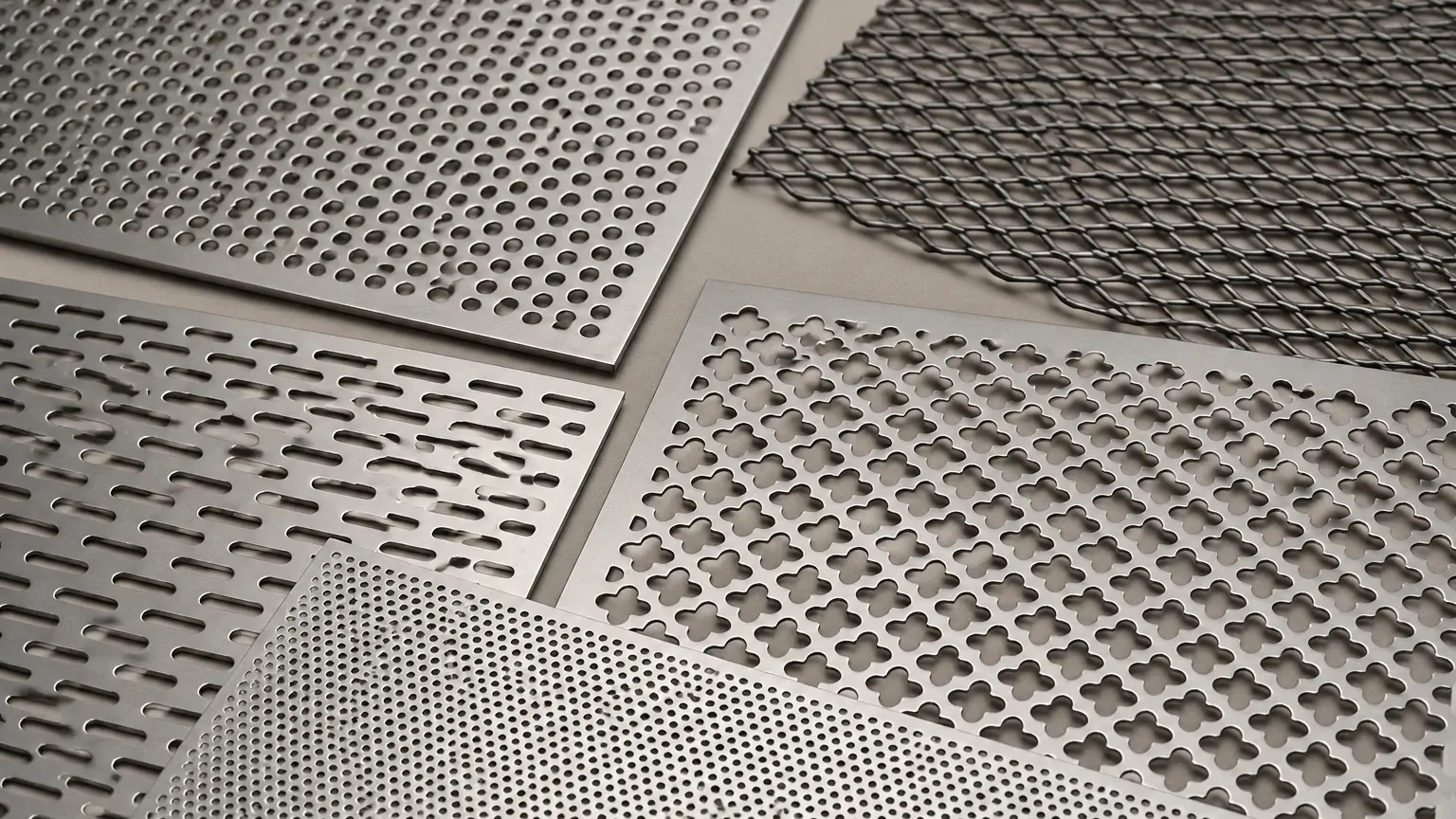
Perforated metal is created by punching a series of holes into a solid sheet. Key parameters include:
* Hole Shape: Round, square, slotted, or hexagonal. Round holes are the most common for filtration due to their structural stability.
* Hole Diameter (D): The actual size of the opening.
* Pitch (P): The distance from the center of one hole to the center of the adjacent hole.
* Pattern: Staggered (usually 60 degrees) or straight-line. Staggered patterns provide higher strength and more uniform open areas.
Expanded Metal Geometry
Unlike perforated metal, expanded metal is produced by slitting and stretching the sheet simultaneously, creating diamond-shaped openings. It involves no material waste and results in a high strength-to-weight ratio. Key parameters include:
* LWD and SWD: Long Way of Diamond and Short Way of Diamond.
* Strand Width and Thickness: These dictate the depth of the mesh and its overall transparency.
* Flattened vs. Raised: Expanded metal can be left with the strands at an angle (raised) for better grip or airflow deflection, or pressure-rolled (flattened) for a smooth surface.
Optimizing Sketchup Perforated Metal Texture for Engineering Accuracy
When working within SketchUp, there are two primary methods for representing these materials: geometry-based modeling and texture-based mapping. For industrial B2B projects, the choice depends on the required level of detail and the performance of the workstation.
1. Texture Mapping with Alpha Channels
For large-scale applications, such as industrial facades or long filtration banks, modeling every individual hole as geometry will significantly slow down the software. Instead, engineers use a PNG texture with an alpha channel (transparency).
To ensure this is technically accurate:
* Scale Calibration: Use the "Texture > Position" tool in SketchUp to ensure that if the specification calls for 5mm holes at an 8mm pitch, the texture reflects exactly those dimensions on the 3D surface.
* Seamless Tiling: The texture must be perfectly tileable to avoid visible seams that could misrepresent the pattern continuity to a client or manufacturer.
2. Geometry Modeling for Precision Components
For small, precision components like custom filter cartridges or hydraulic strainers, it may be necessary to model the actual perforations. This allows for accurate weight calculations and interference checks with other mechanical parts. In these cases, using plugins to generate a perforated grid is more effective than manual drawing. However, this should be reserved for components where the hole-to-metal interface is critical to the assembly's function.
Material Selection for Filtration and Industrial Applications
The visual representation in SketchUp often ignores the most critical factor in industrial longevity: the material grade. While a texture can look like steel, the actual performance depends on the alloy selected.
Stainless Steel 304 vs. 316
* Grade 304: The standard industrial choice, offering excellent formability and resistance to oxidation. It is suitable for most indoor industrial environments and general filtration.
* Grade 316: Contains molybdenum, providing superior resistance to chlorides and pitting. This is essential for chemical processing, marine environments, and pharmaceutical applications where sanitation and corrosion resistance are paramount.
At Kaifil, we specialize in processing these high-grade alloys into precision filtration components. When specifying a product based on your SketchUp model, confirming the material grade is the first step toward ensuring the component survives its operating environment.
Critical Factors in Filtration Performance
For engineers using perforated metal in filtration, the "texture" represents a functional barrier. The following performance metrics must be validated against the digital design:
Pressure Drop and Flow Rate
The open area percentage directly impacts the resistance to flow. A texture that appears "open" might only have a 30% open area, which could cause a significant pressure drop in a hydraulic system, potentially damaging pumps or reducing system efficiency. Calculating the open area using the formula for staggered round holes—$(D^2 \times 90.69) / P^2$—is a necessary step that goes beyond the visual model.
Particle Retention (Micron Rating)
In filtration, the hole size determines the largest particle that can pass through the medium. If the SketchUp model is used to communicate requirements to a manufacturer, the hole diameter must be specified with precision. For finer filtration, perforated metal often serves as a support structure for finer wire mesh layers.
Structural Load
Perforated sheets must often withstand high differential pressures. The "bridge" (the solid metal between holes) must be wide enough to maintain structural integrity. A design that prioritizes a high open area for flow might fail under pressure if the bridges are too narrow.
From Model to Manufacturing: Avoiding Common Pitfalls
Transitioning from a sketchup perforated metal texture to a finished product involves several technical hurdles. Recognizing these risks early in the design phase can prevent production delays.
* The Moiré Effect: In digital models, overlapping perforated patterns can create distracting visual artifacts known as Moiré patterns. While this is a digital phenomenon, it can obscure the actual design intent during reviews. It is important to clarify that these are digital artifacts and not representative of the physical product.
* Edge Margins: Standard manufacturing processes often require a solid "margin" around the edges of a perforated sheet for welding or mounting. A SketchUp texture often covers the entire face of a component. Engineers must specify the required unperforated borders to ensure the part can be properly integrated into the final assembly.
* Flatness and Stress: The punching process can introduce internal stresses into the metal, causing it to curl. For precision applications, specifying a leveling process after perforation is essential to ensure the part matches the perfectly flat planes of a SketchUp model.
Sourcing Custom Solutions from Kaifil
Once the design is finalized in SketchUp, the next step is partnering with a manufacturer capable of translating those digital specs into high-performance hardware. Kaifil provides comprehensive OEM and customized filtration solutions, specializing in stainless steel materials.
Our manufacturing capabilities allow us to produce custom hole patterns, specific open areas, and complex geometries that match your project's unique requirements. We work closely with engineering teams to review CAD data and ensure that the specified Perforated & Expanded Metal will perform reliably in demanding environments, from chemical processing to food and beverage production.
Information to Confirm Before Ordering
Before moving from the design phase to procurement, ensure you have defined the following:
1. Exact Hole Diameter and Pitch: Do not rely on the visual scale of the texture.
2. Material Grade: Specify 304, 316, or other specialized alloys.
3. Sheet Thickness: This affects both weight and durability.
4. Margin Requirements: Define the solid areas needed for mounting or welding.
5. Post-Processing: Determine if the part requires deburring, polishing, or specialized coatings.
Conclusion
A sketchup perforated metal texture is a powerful tool for visualization, but its utility in B2B industrial projects depends on its alignment with engineering reality. By understanding the geometric properties of perforated and expanded metal, calculating performance metrics like open area, and considering the manufacturing constraints of stainless steel, professionals can create models that are both beautiful and functional.
At Kaifil, we bridge the gap between your digital vision and industrial application. Our expertise in custom stainless steel filtration ensures that the components you design in SketchUp are manufactured to the highest standards of precision and durability. Whether you are developing a new filtration system or an architectural industrial screen, our team is ready to provide the technical support and manufacturing excellence required to bring your project to life.
